There's a specific kind of failure that only shows up when you strip the audio away.
A dialogue scene generated with sound enabled can hide its weaknesses. The voice gives the audience something to track. The words tell them who's talking, what the scene is about, and when to feel something. The performance can be flat, the timing can be off, and the audience might not notice — because they're listening to the dialogue, not watching the acting.
Disable the audio, and the illusion collapses.
I ran the same dialogue scene prompts through four models with audio disabled. Same prompts. Same characters. Same scene. The question wasn't whether the models could generate a conversation. It was: can they perform one?
The results were more revealing than any lip-sync benchmark, because stripping the audio removes the crutch. What's left is pure visual performance — and the gap between models becomes impossible to ignore.
The Test Setup
Models tested: Runway Gen-4.5, Kling 3.0, Sora 2, Veo 3.1.
Why these four: These are the models a solo creator or small team would actually use for dialogue-driven work. Kling 3.0 and Veo 3.1 are the current leaders in native audio dialogue generation. Sora 2 generates synchronized dialogue with lip-sync. Runway Gen-4.5 added native audio in December 2025. All four claim dialogue scene support.
Method: Three dialogue scene prompts per model, with audio disabled. First generation only, no cherry-picking re-rolls. Same starting frames where image-to-video was used.
The prompts:
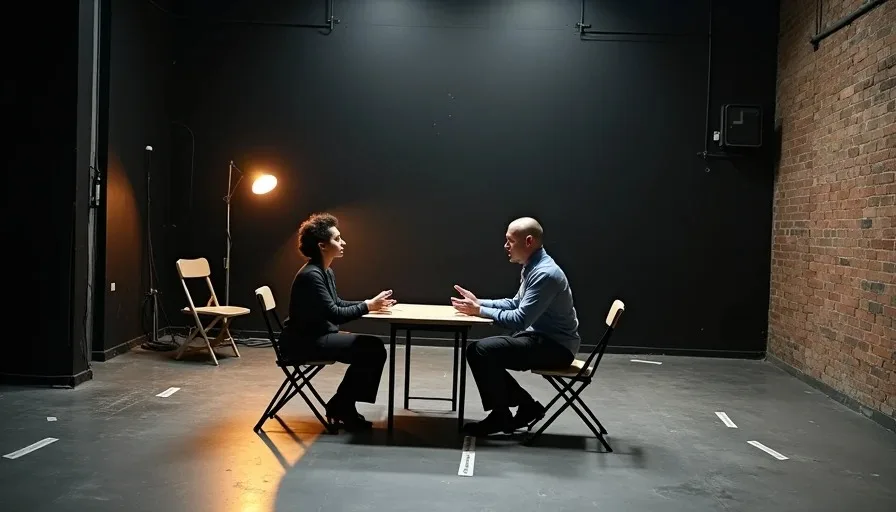
Prompt A — The Quiet Argument. "Two people sit across a table. Woman speaks first, then man responds. Close on her face as she speaks. She looks down, then back up. He reaches for her hand. She pulls away."
Prompt B — The Confession. "One person sits alone. They look up and speak to someone off-screen. Their expression shifts from neutral to uncertain. They look down. Then back up, with a slight nod."
Prompt C — The Interruption. "Two people in conversation. Person A speaks, Person B starts to respond but is cut off. Person A continues. Person B listens, then looks away."
Evaluation criteria:
Performance authenticity: Does the character's face and body convey the emotional beat of the scene?
Turn-taking: Can you tell who is speaking and when, based solely on visual cues?
Listening behavior: Does the non-speaking character react like a person listening, or like a statue waiting their turn?
Usability: Could this scene survive a cut without dialogue?
Why Audio Off Is the Real Test
Before the results, it's worth being precise about what this test measures.
When audio is enabled, the model generates a synchronized voice track and lip-syncs the visuals to match. The performance is anchored to the audio — the lips move in time with the words, and the model optimizes for mouth shape accuracy rather than emotional nuance.
This is why lip-sync benchmarks can be misleading. A model that scores high on lip-sync accuracy may still produce flat, lifeless performances. The lips match the audio, but the eyes don't. The face doesn't shift. The body doesn't react.
The documented weaknesses in multi-person dialogue scenes are telling: mismatched subtitles, multiple characters mimicking the same words, and a failure to handle the "absence of background audio alongside a dialogue audio". These are not lip-sync problems. They're performance problems.
There's a technical reason for this. AI models need to learn how to not speak — how to maintain natural facial stillness and non-verbal motion when no speech is present. This is a distinct training problem from lip-sync. A model that only learns speech-to-lip correspondence never learns the visual grammar of listening, waiting, and reacting.
When I disable audio, I'm removing the model's crutch and testing whether it actually understands performance.
Model by Model: What Each Tool Actually Does
Runway Gen-4.5: The Rendering Engine
Runway Gen-4.5 is, by design, a rendering engine. It has no audio track, no multi-shot storyboarding, and no dialogue — it models a scene, not a conversation. When I disabled audio and gave it dialogue scene prompts, I was essentially asking it to do something it wasn't designed for.
Prompt A (Quiet Argument): The two characters were rendered cleanly. The framing was precise. But the performance was absent. The woman's expression didn't change when she "spoke." The man didn't react when she pulled away. The scene read as two people sitting at a table, not two people having an argument.
Prompt B (Confession): Runway handled the single-character shot better. The expression shift was visible — the character looked uncertain. But the "speaking" was purely mechanical: the mouth opened and closed without any of the micro-expressions that make a performance feel alive.
Prompt C (Interruption): The blocking was correct. Person A and Person B were positioned properly. But the turn-taking was invisible. Without audio, there was no visual signal indicating who was speaking at any given moment. The scene read as two people standing near each other.
Score: 8/20 — Competent rendering, no performance.
Kling 3.0: The Acting Model
Kling 3.0 is the strongest model for dialogue-driven work. It generates multi-speaker dialogue in five languages with accents and dialects, and lip-sync that actually tracks. It handles multi-shot prompts natively — you describe each beat and it generates a connected sequence up to 15 seconds in one run.
More importantly, Kling 3.0 is the only model in my test that produced performances that felt acted rather than rendered.
Prompt A (Quiet Argument): The woman's face shifted. Not dramatically — a slight tightening around the eyes, a subtle change in posture. When she pulled away, her body language communicated rejection. The man's reaction was visible: a half-second pause, a small retreat. I could tell who was speaking without audio, because Kling had generated the visual grammar of conversation.
Prompt B (Confession): This was Kling's best shot. The character's expression moved through uncertainty, hesitation, and a slight nod of resolve. The micro-expressions were present — the kind of subtle shifts that read as a real performance.
Prompt C (Interruption): Kling handled the interruption beat. Person B started to respond, then stopped. The "stop" was visible: the intake of breath, the slight lean forward, then the retreat. Person A continued. Person B looked away. The scene had rhythm.
Score: 17/20 — Real performance, visible turn-taking, listening behavior present.
Sora 2: The Realism King, The Performance Question
Sora 2 generates synchronized dialogue with accurate lip-sync to match emotional tone and scene context, with no separate audio track required. It excels at complex actions and detailed prompts. But with audio disabled, Sora's realism didn't translate to performance.
Prompt A (Quiet Argument): The characters looked real. The lighting was cinematic. But the emotional content was missing. The woman's face was beautiful and blank. The man's reaction was absent. Sora generated two photorealistic people having a conversation that the audience couldn't follow.
Prompt B (Confession): The expression shift was subtle to the point of invisibility. The character looked up, then down, but the emotional arc — neutral to uncertain to resolved — didn't register visually.
Prompt C (Interruption): The blocking was correct, but the turn-taking was not. Both characters appeared to be speaking simultaneously, or neither was. Without audio, the scene was ambiguous.
Score: 9/20 — Best realism, weakest performance signaling.
Veo 3.1: The Audio-Dependent Performer
Veo 3.1 generates native audio aligned to the visual timeline, with lip-sync and audio-visual alignment for dialogue and scene cues. It's the strongest model for synced dialogue. But it's also the most audio-dependent — Veo's performance quality collapses when the audio is removed.
Prompt A (Quiet Argument): Veo generated a technically impressive shot. The characters were photoreal. The framing was perfect. But there was no performance. The characters looked like they were waiting for the audio to tell them what to do.
Prompt B (Confession): The single-character shot was slightly better. Veo's strength is facial realism, and the face looked real. But the performance was absent. The expression didn't move through the emotional beats. It was one expression, held.
Prompt C (Interruption): The turn-taking was invisible. Person A and Person B were rendered, but not performed. Without audio, there was no way to tell who was speaking.
Score: 7/20 — Best audio-dependent performance, worst audio-independent performance.
The Scorecard
Test | Runway Gen-4.5 | Kling 3.0 | Sora 2 | Veo 3.1 |
|---|---|---|---|---|
Quiet Argument | 3 | 5 | 3 | 2 |
Confession | 3 | 6 | 3 | 2 |
Interruption | 2 | 6 | 3 | 3 |
Performance authenticity | 8 | 17 | 9 | 7 |
Turn-taking | 2 | 6 | 3 | 2 |
Listening behavior | 2 | 6 | 3 | 2 |
Usability | 2 | 5 | 3 | 1 |
Total | 8/20 | 17/20 | 9/20 | 7/20 |
Kling 3.0 didn't just win. It won by a margin that changes what's possible. Every other model in this test produced dialogue scenes that were visually competent and performatively empty. Kling produced a scene that worked without audio.
What Kling Does Differently
The gap between Kling and every other model in this test isn't incremental. It's categorical. Here's what I observed.
Kling generates the visual grammar of conversation. Turn-taking is visible. When Person A speaks, their body language shifts — a slight lean, a change in posture. When Person B listens, they react — a nod, a blink, a small movement. The scene has rhythm even without sound.
Kling's micro-expressions are real. The emotional beats register on the face. Uncertainty looks like uncertainty. Resolve looks like resolve. This isn't about high-resolution skin texture. It's about the muscles around the eyes, the shape of the mouth, the timing of the expression change.
Kling understands listening. This is the rarest skill. Most models treat the non-speaking character as a static object. Kling treats them as a performer. The listening character reacts — they shift, they blink, they respond to what they're "hearing." This is the difference between a dialogue scene and two people taking turns talking.
The documented research on silent data curation explains why this matters. Models that are trained only on speaking videos never learn the visual grammar of non-speaking behavior — the gaze shifts, posture changes, and gestures that occur when someone is listening but not talking. Kling appears to have trained on this data. The others have not.
What the Other Models Fail To Do
The failure modes are consistent across Runway, Sora, and Veo.
They can't signal who's speaking. Without audio, there's no visual cue for turn-taking. The mouth opens and closes, but the body doesn't shift, the posture doesn't change, the eyes don't engage. The audience can't follow the conversation.
They don't generate listening behavior. The non-speaking character is a prop. They stand still, they don't react, they don't blink. A real listener is always moving — shifting weight, nodding, furrowing a brow. These models don't generate that behavior.
They optimize for lip-sync, not performance. The models were designed to match mouth shapes to audio. When the audio is removed, the mouth movement remains, but the emotional content is absent. The face is a mask that moves, not a performance.
They treat dialogue as audio-first. The performance is anchored to the voice. Remove the voice, and the performance disappears. There's no visual performance independent of the audio track.
How to Prompt a Dialogue Scene That Works Without Audio
If you're working with a model other than Kling — or if you need to maximize Kling's performance — here's the workflow I've developed.
The Subtractive Prompting Method
Don't ask the model to "perform." Describe the physical behaviors that constitute a performance.
Bad prompt: "She argues with him, emotional, dramatic."
Good prompt: "She looks down, then back up. Her jaw tightens. She pulls her hand away. He pauses, then leans back slightly. His eyes drop."
The second prompt gives the model physical actions to generate. The first asks it to interpret an emotion.
Lock the Listening Character
The listening character needs specific instructions. Without them, the model generates a statue.
Include lines like:
"The listener blinks slowly."
"The listener shifts their weight."
"The listener's eyes track the speaker."
"The listener nods slightly, then stops."
These small behaviors are what make a dialogue scene feel alive.
Use Time-Coded Performance Breakdowns
For a 10-second dialogue scene, break the performance into beats:
0–3 sec: Speaker A speaks. Speaker B listens, still.
3–5 sec: Speaker B reacts — slight lean forward, mouth opens to respond.
5–7 sec: Speaker A continues. Speaker B retreats — lean back, eyes drop.
7–10 sec: Speaker A stops. Speaker B looks up. Silence.
This gives the model a sequence of performance states to generate. Without it, the model generates a single state and holds it.
Match the Model to the Job
If the scene needs to work without audio, use Kling 3.0. If you need the best possible performance with audio, Veo 3.1 or Sora 2 are stronger choices. If you need a camera-driven scene with dialogue as a secondary element, Runway Gen-4.5's precise camera controls are the right tool.
The Cost of Getting This Right
Dialogue scenes are the most expensive shots in AI video production, because they require the most re-rolls.
Across documented productions, the average is roughly 3 generations per usable shot. Dialogue scenes sit at the higher end of that range because the failure modes are more visible. A flat performance is immediately obvious in a way that a slightly off camera move is not.
Kling 3.0's dialogue scenes required about 3–4 generations per usable clip in my testing. Runway, Sora, and Veo required more re-rolls to get performances that felt alive — or required accepting scenes that were visually competent but performatively empty.
The documented cost of locking a character is about $9.78 in generations — roughly five attempts. For a dialogue scene, you need two locked characters, which doubles that cost. That upfront investment is cheap relative to the alternative: re-generating an entire dialogue scene because one character's performance drifted.
What This Means for Your Workflow
If the scene must work without audio: Kling 3.0 is the only model that produces a dialogue scene that reads without sound. It's the only model that generates the visual grammar of conversation. Route dialogue scenes to Kling.
If the scene has audio and needs the best performance: Veo 3.1 or Sora 2. Both generate strong synced dialogue with lip-sync. Veo leads on audio-visual alignment; Sora leads on realism and prompt adherence.
If the dialogue is secondary to camera work: Runway Gen-4.5. Its camera controls and visual consistency are unmatched. Use it when the scene is about the shot, not the performance.
If you're on a budget: Kling 3.0 at $10/month delivers the best dialogue performance per dollar. Runway at $15/month is the best value for camera-driven work. Veo and Sora are more expensive and more audio-dependent.
The Deeper Lesson: Performance Is Not Lip-Sync
Here's what this test reveals about the state of AI video.
The industry has focused on lip-sync accuracy as the measure of dialogue scene quality. But lip-sync is a technical problem. Performance is a creative one. A model can achieve perfect lip-sync and still produce a scene that feels dead.
The models that produce convincing dialogue scenes without audio are the models that understand performance as a visual language — not just mouth shapes matching words. Kling 3.0 leads this category by a wide margin. The others are still solving the wrong problem.
A good shot is not just generated. It is chosen. And a good performance is not just synced. It's acted.
Frequently Asked Questions
Can AI generate a convincing dialogue scene without audio?
Only Kling 3.0 produced a dialogue scene that worked without audio in my test (17/20). Runway Gen-4.5, Sora 2, and Veo 3.1 all produced visually competent scenes with performatively empty content — the characters looked real but didn't act. The gap is categorical, not incremental.
Why do most AI video models fail at dialogue scenes without audio?
Because they're designed for audio-first performance. The lip-sync is generated from the audio track, and the performance is anchored to the voice. When audio is removed, the performance disappears. Most models also lack training on silent data — they've learned speech-to-lip correspondence but not the visual grammar of listening, waiting, and reacting.
What is the difference between lip-sync and performance in AI video?
Lip-sync is the technical alignment of mouth shapes to spoken words. Performance is the visual communication of emotion through micro-expressions, body language, and timing. A model can achieve perfect lip-sync and produce a performance that feels dead. The industry benchmarks lip-sync; the audience responds to performance.
Which AI video model has the best dialogue scene performance?
Kling 3.0. It generated visible turn-taking, listening behavior, and micro-expressions that made the scene readable without audio. It's also the strongest model for multi-speaker dialogue, supporting five languages with accents and dialects, and lip-sync that actually tracks.
How do I prompt a dialogue scene for better performance?
Use subtractive prompting. Don't ask for "emotional" or "dramatic." Describe the physical behaviors that constitute the performance: "She looks down, then back up. Her jaw tightens." Lock the listening character with specific instructions: "The listener blinks slowly, shifts their weight, eyes track the speaker." Use time-coded performance breakdowns to give the model a sequence of performance states rather than a single state.