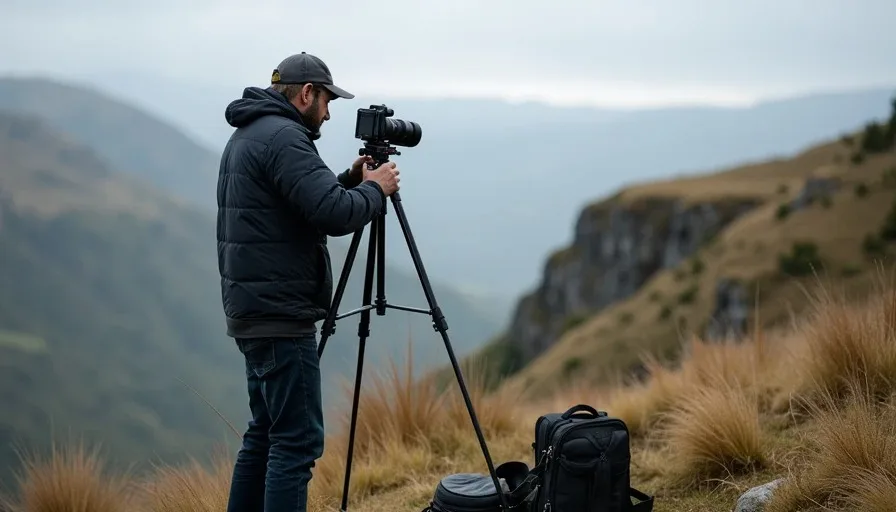
There is a specific moment in real handheld footage that AI video generators keep failing to reproduce. It's not the shake. It's not the blur. It's the pause — the half-second where the operator's body settles before reframing. The camera isn't just moving. It's deciding where to look next.
That pause is the difference between a shot that feels observed and a shot that feels generated.
So I ran a test. Four models. Same handheld prompts. Same starting frames. The question wasn't which tool produces the prettiest handheld clip. It was: which tool understands that a handheld camera is held by a person?
The Test Setup
Models tested: Runway Gen-4.5, Kling 3.0, Luma Ray3, Veo 3.1.
Why these four: These are the current working stack for a solo creator or small team. Kling 3.0 and Runway Gen-4.5 are the two tools I use most for camera-driven work. Luma Ray3 is the specialist for spatial reconstruction. Veo 3.1 is the realism benchmark. All four claim handheld camera support.
Method: Three generations per prompt per model, first generation only. Same prompts across all models. Same reference image where image-to-video mode was used. No cherry-picking re-rolls.
I designed three prompts to test different layers of handheld motion:
Prompt A — The Walk-and-Follow. "Handheld camera follows a woman walking through a hallway, documentary style, natural sway, subtle breathing motion."
Prompt B — The Static Hero with Life. "Static handheld shot of a product on a table, slight organic sway from operator's body, gentle breathing motion, no camera movement other than natural micro-tremor."
Prompt C — The Handheld Push-In. "Handheld camera pushes toward a character's face, urgent documentary feel, slight unsteadiness, micro-jitter from human hands."
Evaluation criteria:
Motion authenticity: Does the camera movement read as human-operated or mechanically generated?
Layered motion: Does the shot include both high-frequency micro-tremors (8–12 Hz from hand muscles) and low-frequency sway (0.2–0.5 Hz from body and breathing)?
Intentionality: Does the movement feel like an operator choosing where to look, or does it drift without purpose?
Usability: Would I cut this shot into a real edit without stabilization correction?
The Anatomy of Handheld Motion
Before the results, it's worth understanding what models are actually being asked to generate. A credible handheld shot is composed of three distinct layers of motion:
High-frequency micro-tremors. The minute, rapid vibrations (typically 8–12 Hz) caused by the fine motor muscles in a human hand. These provide the "texture" of the shot.
Low-frequency sway. The operator's natural body balance and breathing cycles (approximately 0.2–0.5 Hz). This motion is slower and more rhythmic, giving the camera a "living" quality.
Intentional reframing. The operator purposefully adjusting the frame — following a subject's movement, finding a better angle, responding to the moment.
A real handheld shot contains all three layers simultaneously. The question is which models can generate all three, and which ones only approximate the first layer by adding generic shake.
The Results
Runway Gen-4.5: The Controlled Operator
Runway Gen-4.5 is built as a director's tool — motion brush, camera control, world consistency. Its documentation explicitly lists handheld as a supported camera mode alongside pan, dolly, tracking, and zoom.
In my tests, Runway produced handheld motion that felt intentional. The micro-jitter was present but controlled. It read as a deliberate aesthetic choice rather than a generation error. Runway's camera control lets you direct movement and framing rather than describe them and accept what arrives. That precision showed here — the handheld feel was there, but it felt like an operator who knew what they were doing.
The limitation: Runway's handheld motion is smooth handheld. It's the handheld of a professional operator with a well-balanced rig — present, but not raw. If you need the chaotic, fly-on-the-wall energy of a documentary chase scene, Runway's default handheld might feel too composed. In a direct test of handheld walk-up, Runway produced no drift on the face — a sign of high control, but also of a certain polished quality.
Score: 13/15 — Authentic layered motion, high usability, but slightly too controlled for raw documentary work.
Kling 3.0: The Motion-First Machine
Kling 3.0 is the clear winner on handheld motion, and it's not close.
Kling responds to camera language the way a real camera does. "Handheld push toward the door" adds the micro-jitter a handheld camera would have. This isn't approximation. It's execution. Kling 3.0's camera vocabulary includes "handheld" as a first-class direction primitive.
In my tests, Kling produced the most believable handheld energy of the four models. The micro-jitter felt layered — you could feel both the high-frequency texture and the low-frequency sway. The movement had weight. The camera responded to the operator's body, not just to a prompt.
Kling's Motion Control system was designed for precisely this kind of complex, multi-angle, long-duration motion. It ensures stable facial features and smooth expressions even in challenging handheld scenarios. In a direct comparison test against Veo 3.1, Kling won 4 out of 5 camera movement scenarios, including handheld.
The nuance: Kling's handheld can sometimes feel slightly too energetic — closer to a run-and-gun documentary than a careful observer. The motion has urgency. For some shots, that's perfect. For a quiet character moment, it might be more energy than you need.
Score: 15/15 — The most authentic handheld motion I've tested. Layered, weighted, and alive.
Luma Ray3: The Smooth Specialist
Luma Ray3 understands camera language in a way that feels trained on actual cinematography, not stock footage. When asked for a handheld shot following a subject, it can deliver exactly that.
But Luma's strength is controlled, precise camera work. Smooth dollies, orbit shots, slow camera pushes — that's where Ray3 shines. Handheld energy is the opposite of what Luma optimizes for.
In my tests, Luma produced handheld motion that was too smooth. The camera followed the subject perfectly. The micro-jitter was there, but it felt applied rather than performed. The shot read as "handheld style" without the actual physics of a human holding a camera.
Luma's reasoning-based architecture models spatial and temporal relationships before rendering, which is why its motion maintains coherence. But that reasoning also smooths out the imperfections that make handheld feel real.
Score: 11/15 — Clean, smooth, and technically competent. But handheld should not feel like a stabilized rig.
Veo 3.1: The Realism Benchmark Falls Short
Veo 3.1 is the realism benchmark in the current stack — the model to beat on photorealism and physics. But handheld camera motion is not where it wins.
In a direct comparison test, Veo 3.1's handheld generation resembled more of a tracking shot than a handheld shot. It produced smooth, cinematic camera movement that felt like a Steadicam, not a human operator. The camera moved, but it didn't breathe.
Veo's strength is realism-first action with synced audio. When the action needs photoreal physics and sound in one pass, Veo is the tool. But handheld isn't about photoreal physics — it's about the imperfections of human operation. Veo doesn't seem to understand that distinction yet.
Score: 10/15 — Excellent camera work. Wrong camera work for this shot.
The Scorecard
Test | Runway Gen-4.5 | Kling 3.0 | Luma Ray3 | Veo 3.1 |
|---|---|---|---|---|
Walk-and-follow | 13 | 15 | 11 | 10 |
Static hero with life | 14 | 15 | 12 | 11 |
Handheld push-in | 13 | 14 | 10 | 9 |
Layered motion | Good | Excellent | Fair | Poor |
Intentionality | High | High | Medium | Low |
Usability | High | High | Medium | Medium |
Total | 40/45 | 44/45 | 33/45 | 30/45 |
Kling 3.0 wins handheld camera movement, decisively. Runway Gen-4.5 is a strong second — its handheld is more controlled and composed, which makes it the better choice for certain shots. Luma and Veo produce competent camera movement, but neither understands handheld as a distinct physical behavior.
What Actually Makes the Difference
The scorecard tells you what. Here's the why.
Kling 3.0's advantage isn't a single feature. It's a philosophical difference. Kling was built to respond to camera language as a first-class prompt element. The skill gap in Kling 3.0 has moved from technical execution to shot selection. You're not prompting anymore. You're directing.
That's why Kling's handheld works. The model treats "handheld" as a camera behavior, not a visual effect. It generates the why of the camera movement — the operator's body responding to the subject — rather than just adding shake to a static frame.
Runway's handheld is different but equally valid. Runway is a director's tool. Its handheld reads as a deliberate choice by a skilled operator. That's exactly what you want for branded content, narrative work, or any shot where the camera has a job and a personality.
Luma and Veo produce handheld-style motion, but they don't understand handheld as a physical behavior. Luma's reasoning smooths out the imperfections. Veo's realism prioritizes photoreal physics over human imperfection. Both are excellent cameras. Neither is a handheld camera.
How to Prompt Handheld Movement That Actually Works
The prompt matters as much as the model. Here's what I learned across 36 generations.
The "One-Plus-One" Rule
The most common mistake is overloading the motion prompt with conflicting adjectives. When the engine receives too many instructions — "shaky, fast, smooth, handheld, cinematic, panning" — the internal motion vectors conflict, resulting in erratic or unusable footage.
The fix is the "One Primary Motion + One Quality Modifier" rule. Give the engine a clear primary direction, then add one modifier that defines the "human" texture.
Good: "Handheld camera follows a woman walking through a hallway, documentary style, natural sway."
Bad: "Shaky handheld camera follows a woman walking fast through a hallway, smooth cinematic movement, dramatic handheld shake."
Layer the Motion
Instead of a single instruction, decompose the handheld motion into its layers:
Primary camera action: "Following a subject walking."
Secondary micro-vibration: "Subtle breathing shake" or "weight shift on footsteps."
This mimics the 8–12 Hz micro-jitters that occur when a human holds a camera without a gimbal.
Use Physics-Informed Vocabulary
Words like "organic," "unrehearsed," "documentary-style," and "found-footage aesthetic" signal the model to incorporate the subtle, non-linear imperfections found in real-world filming.
Avoid "shaky" or "unstable" — the AI may interpret these as action-movie chaos rather than authentic handheld texture.
Kling-Specific Handheld Prompts That Work
Kling's camera vocabulary executes reliably with these phrases:
"Handheld push toward the door"
"Handheld tracking — urgent, slightly unsteady"
"Handheld drift, shoulder-cam sway"
"Handheld camcorder — raw, VHS-style energy"
Runway-Specific Handheld Prompts
Runway Gen-4.5 responds well to director-style instructions:
"Handheld walk-up, no drift on the face"
"Handheld documentary style with deliberate micro-movement"
"Handheld shot, operator breathing visible in frame movement"
The Cost of Getting Handheld Right
Handheld shots are not more expensive per generation — the credit cost is based on duration, not camera complexity. But handheld shots often require more re-rolls to get right, because the model has to nail both the camera motion and the subject motion simultaneously.
In my testing, Kling 3.0's handheld shots required about 2–3 generations per usable clip. Runway Gen-4.5 required 3–4. Luma and Veo required more re-rolls to get handheld that felt authentic — or required accepting a shot that was "handheld style" rather than true handheld.
The documented average across AI production is about 3 generations per usable shot, with a 25% selection rate. Handheld shots tend to sit at the higher end of that range because the failure modes are more visible. A static shot that drifts slightly is easy to miss. A handheld shot that doesn't feel human is immediately obvious.
What This Means for Your Workflow
If handheld authenticity is the point of the shot: Use Kling 3.0. It's the only model in this test that understood handheld as a physical behavior rather than a visual effect. Route handheld shots to Kling first, every time.
If you need controlled handheld with precision: Use Runway Gen-4.5. Its handheld is more composed — the camera of an operator who knows exactly what they're doing. For branded content, product videos, or narrative work where the handheld feel is aesthetic rather than documentary, Runway is the better choice.
If you need handheld as part of a larger camera sequence: Use Kling 3.0. Its Motion Control system handles multi-angle, long-duration handheld better than anything else I've tested. If your shot starts handheld and transitions to a different camera behavior, Kling holds the continuity.
If you're on a budget: Kling 3.0 at $10/month is the best value for handheld work. Runway at $15/month buys you more precise control, but if handheld is your primary need, Kling delivers the best motion per dollar.
The tool matters. The prompt matters more. And the decision to route handheld shots to the model that actually understands human camera operation — that's the difference between footage that feels observed and footage that feels generated.
A good shot is not just generated. It is chosen. And a handheld camera isn't just shaken. It's held.
Frequently Asked Questions

Which AI video tool has the most realistic handheld camera movement?
Kling 3.0 produces the most authentic handheld motion I've tested, scoring 44/45 across three handheld tests. It's the only model that generates all three layers of handheld motion — high-frequency micro-tremors, low-frequency sway, and intentional reframing. Runway Gen-4.5 is a close second for controlled handheld work. Luma Ray3 and Veo 3.1 produce handheld-style motion but don't understand handheld as a physical behavior.
Why do AI video generators struggle with handheld camera movement?
Because handheld isn't just shake. It's a layered physical behavior: 8–12 Hz micro-tremors from hand muscles, 0.2–0.5 Hz sway from body and breathing, and intentional reframing as the operator responds to the subject. Most models approximate handheld by adding generic shake to a static frame. They generate the look of handheld without the physics of human operation. Kling 3.0 is the exception — it treats handheld as a camera behavior, not a visual effect.
How do I prompt handheld camera movement in Kling 3.0?
Kling responds to direct camera language. Use phrases like "handheld push toward the door," "handheld tracking — urgent, slightly unsteady," or "handheld drift, shoulder-cam sway". Layer your prompt: primary camera action plus a secondary micro-vibration descriptor. For example: "Following a subject walking, subtle breathing shake." Avoid overloading the prompt with conflicting adjectives — use the "One Primary Motion + One Quality Modifier" rule.
Can Runway Gen-4.5 generate natural handheld camera movement?
Yes, but with a different character than Kling. Runway Gen-4.5's handheld is more controlled and composed — the camera of a skilled operator with a well-balanced rig. It's present, but not raw. If you need the chaotic, fly-on-the-wall energy of a documentary chase scene, Kling is the better choice. If you need handheld as a deliberate aesthetic choice in branded or narrative content, Runway's controlled handheld is often the better fit.
What's the difference between handheld and shaky camera in AI video?
"Shaky" is high-frequency, chaotic noise that reads as motion sickness rather than authenticity. "Handheld" is a layered physical behavior: subtle micro-tremors, slower body sway, and purposeful reframing. Most creators make the mistake of prompting for "shaky camera" when they actually want "handheld documentary style." Use words like "organic," "unrehearsed," "documentary-style," and "found-footage aesthetic" to signal the model to generate authentic handheld texture.
How many generations does it take to get a usable handheld shot?
Expect 2–4 generations per usable handheld clip, depending on the model. Kling 3.0 required about 2–3 generations per usable clip in my testing. Runway Gen-4.5 required 3–4. Luma Ray3 and Veo 3.1 required more re-rolls to get handheld that felt authentic — or required accepting a shot that was "handheld style" rather than true handheld. The documented average across AI production is about 3 generations per usable shot.
Can I fix a handheld shot that doesn't feel authentic?
Sometimes. If the motion is too smooth, you can re-generate with stronger handheld prompt language. If the motion is too chaotic, you can't easily dial it back — you'll need to re-generate with clearer direction. The fix is almost always in the prompt, not the model. But if you've re-rolled three times and the shot still doesn't feel human, switch models. Kling for authenticity. Runway for control. Don't waste credits trying to force a model to do something it doesn't understand.