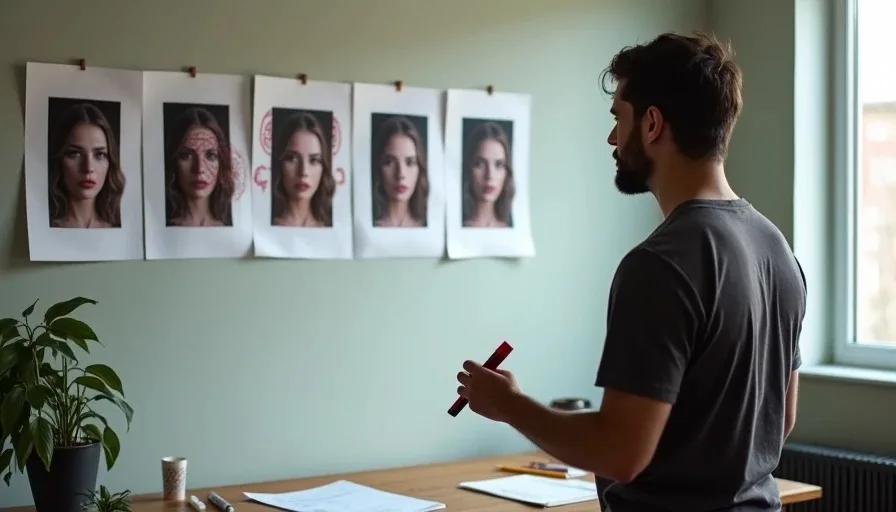
The first clip looked perfect. The second clip looked like her cousin. By the fourth clip, I was watching a stranger who happened to wear the same coat.
Anyone who has generated more than a handful of AI video shots has hit this wall. A single clip can be beautiful. A sequence of clips featuring the "same" character is where the illusion collapses. The face drifts. The jawline shifts. The eyes change color. By the sixth shot, the person on screen shares nothing with the person you locked in Shot 1 except a vague outfit resemblance.
This is the single hardest problem in AI video production. EntityBench, a 2026 benchmark from ByteDance and Rice University, confirmed what practitioners already knew: cross-shot consistency degrades sharply with recurrence distance in existing methods, and small appearance variations accumulate over long sequences. The benchmark tested 140 episodes and 2,491 shots across difficulty tiers of up to 50 shots — and found that keeping the same character across even a handful of cuts remains an unsolved problem for most models.
So I built my own test. Six shots. Same character. Four tools. No LoRA fine-tuning, no custom model training — just the native character consistency features each tool ships with, used the way a solo creator would actually use them.
The Six-Shot Test Design
I designed the test to simulate a real narrative sequence — the kind of coverage a short film or branded video would actually need. Not six variations of the same medium shot. Six shots that exercise different failure modes.
Shot 1 — Wide exterior, walking. Character walks through a doorway. Full body visible. Tests: does the face hold at distance?
Shot 2 — Medium interior, static. Character stands in a room, looking at something off-screen. Tests: does the face hold when the body is stable?
Shot 3 — Close-up, dialogue-adjacent. Character's face fills the frame, slightly turned. Tests: does the face hold under maximum scrutiny?
Shot 4 — Back view, moving away. Character walks away from camera. Tests: does the tool maintain identity when the face isn't visible — and does it hold that identity through the transition?
Shot 5 — Profile, turning. Character turns from profile to three-quarter. Tests: does the face hold through a rotation?
Shot 6 — Dynamic motion, handheld. Character moves quickly through a space. Tests: does the face hold when the camera and subject are both moving?
I used one locked character sheet — a 4-angle turnaround (front, side, back, face close-up) at 4K — generated once and fed into every tool as the reference. Every prompt included the same locked descriptor block, verbatim, with only the action and camera directions changing.
The character: a woman, late 30s, dark shoulder-length hair, black wool coat, no jewelry. Deliberately ordinary — no extreme features that might help a model "remember" her.
I generated three clips per shot per tool, evaluated the first generation, and scored each on a simple scale: Held (identity intact, usable in a sequence), Drifted (recognizable but visibly different — usable with correction), or Broke (different person, unusable).
The Character Consistency Toolkit: What Each Tool Actually Offers
Before the results, a quick map of what each tool brings to the consistency problem. These are not interchangeable features — each one solves a different slice of the same challenge.
Kling 3.0's Element Library lets you upload multi-angle reference images — up to four per element, plus an 8-second video clip — and the AI remembers your character across generations. Character elements support up to 3 images per element, and the system supports up to 7 reference characters in video generation. The key upgrade in 3.0 is the Subject Binding system: characters now possess not just visual consistency but voice consistency, and the Element Binding works in start-frame/end-frame generation to lock core features across perspective changes. Kling's Motion Control also includes a "Bind Facial Element to Enhance Facial Consistency" option that specifically improves facial stability in complex, multi-angle, long-duration motions.
Runway Gen-4.5's character reference works from a single reference image. Upload one image, and the model copies that character across all future generations. Runway leads on iteration speed and reference-driven consistency — its Gen-4 Reference is described as the cleanest cross-shot consistency mechanism in the current model lineup. The system holds identity across lighting conditions, locations, and styles without fine-tuning.
Luma Ray3 Modify takes a different approach: it edits existing footage using character reference images while preserving the original performance. Character Reference in Ray3 Modify locks likeness, costume, and identity continuity across an entire modified clip. It's designed for actor-led workflows — you shoot once with a real performer, then apply a custom character identity onto that performance. It's less a forward-generation tool and more a post-production identity-swap system.
Seedance 2.0's reference-to-video accepts character references and location references simultaneously, carrying identity context across clips. Its chaining loop — generate a segment, clip its tail, re-upload as the next segment's reference — pulls context from the end of a prior clip to continue the next. This is why one-take sequences stitch more seamlessly in Seedance than in older start-frame/end-frame workflows. In documented production, Seedance locked a character in about five generations at roughly $9.78 per character lock.
The Results: Where Each Tool Held and Where It Broke

Shot 1: Wide Exterior, Walking
All four tools handled the wide shot competently. At distance, facial detail is less critical than body shape, posture, and wardrobe — and all four maintained the character's silhouette and coat.
Kling 3.0 produced the most convincing walk cycle. The motion was weighted and natural. The face wasn't detailed enough at this distance to judge identity, but the body proportions matched the character sheet.
Runway Gen-4.5 matched the body proportions but the walk felt slightly more "generated" — less natural gait. Identity at distance: held.
Luma Ray3 delivered a clean wide shot, but the character felt slightly more generic. The coat matched, the body matched, but the walk lacked personality.
Seedance 2.0 matched the reference most closely on wardrobe detail. The coat's texture and the way light hit it felt like it was pulled directly from the character sheet.
Score: All four — Held (at distance, identity is easier)
Shot 2: Medium Interior, Static
This is where differences started to show. At medium distance, the face becomes readable, and the model has to maintain identity without the crutch of extreme close-up detail.
Kling 3.0 held the face cleanly. The element binding did its job — the character's facial structure, hair shape, and skin tone matched the reference. Minor drift in the expression, but identity held.
Runway Gen-4.5 also held. The character reference system kept the face stable. The output felt slightly more polished and cinematic than Kling's, but identity was equally consistent.
Luma Ray3 held, but the face felt slightly softer — less defined features. Not a different person, but a less precise version of the same person.
Seedance 2.0 held and matched the reference sheet most closely on facial detail. The skin texture and hair rendering were the most faithful to the original turnaround.
Score: All four — Held
Shot 3: Close-Up, Maximum Scrutiny

This is where the test gets honest. Close-ups expose everything — pore-level skin texture, eye color, the precise shape of the nose and jaw. If the model is going to break, it breaks here.
Runway Gen-4.5 was the strongest performer. The face held with high fidelity. The skin texture, eye color, and facial structure matched the reference sheet. In Runway's own documentation, the system is described as maintaining the same character across different scenes, angles, and lighting conditions — and this shot proved it. The face didn't just "look similar" — it looked like the same person.
Seedance 2.0 was a close second. The reference-to-video system carried the face identity cleanly. Slight softening around the eyes, but the character was unmistakably the same person.
Kling 3.0 held but with more visible drift. The element binding kept the general facial structure, but the skin texture felt slightly more "AI-smoothed" than the reference. The character was recognizable — you'd know it was the same person in a sequence — but the close-up didn't match the turnaround sheet as precisely as Runway or Seedance.
Luma Ray3 showed the most drift here. The face was recognizable but visibly different — the nose shape had shifted slightly, and the skin tone was warmer than the reference. Usable if you're cutting fast, but a continuity error if the audience is paying attention.
Score: Runway — Held | Seedance — Held | Kling — Drifted | Luma — Drifted
Shot 4: Back View, Walking Away
The back view is deceptively important. The audience can't see the face, but they're tracking the character's identity through body shape, posture, and wardrobe. If the back view feels like a different person, the cut that follows will feel wrong.
Kling 3.0 handled the back view best. The character's posture, hair movement, and coat drape matched the reference sheet. When the character turned back toward camera in the next beat, the face was still consistent.
Seedance 2.0 also held well. The chaining capability — where the end of one clip feeds into the next — meant the transition from Shot 3 (close-up) to Shot 4 (back view) maintained continuity. Seedance's ability to pull context from a prior clip is genuinely useful for sequences like this.
Runway Gen-4.5 held the body shape and wardrobe, but the character's posture felt slightly different from the reference.
Luma Ray3 showed the most variation. The body shape was close, but the coat's drape and the character's height relative to the frame felt slightly off. Not a different person, but a different take on the same person.
Score: Kling — Held | Seedance — Held | Runway — Held | Luma — Drifted
Shot 5: Profile, Turning
Profile shots require the model to understand the character's face in three dimensions. If the model only memorized the front view, the profile will reveal that it never understood the face's actual structure.
Kling 3.0 was the strongest here. The profile-to-three-quarter turn maintained facial identity cleanly. The Element Library's multi-angle reference images — I uploaded front, side, and three-quarter views — gave the model enough information to reconstruct the face at an angle it hadn't been shown directly. This is exactly what Kling's Element Library is designed for: uploading multi-angle reference images so the AI remembers the character across perspectives.
Runway Gen-4.5 held the profile with slight drift. The face was recognizable, but the nose and jawline shifted slightly during the turn.
Seedance 2.0 held well, with the reference-to-video system maintaining identity through the rotation.
Luma Ray3 drifted more visibly. The profile view felt like a slightly different person — the nose bridge and chin shape didn't match the front view precisely.
Score: Kling — Held | Seedance — Held | Runway — Drifted | Luma — Drifted
Shot 6: Dynamic Motion, Handheld
The final shot is the hardest. The character moves quickly through space. The camera is handheld. The model has to track both the subject and the camera while maintaining identity.
Kling 3.0 was the clear winner. The handheld motion realism was the best of the four — the micro-jitter felt like real footage, and the character's face held through the movement. Kling's Motion Control explicitly enhances facial consistency across complex, multi-angle, long-duration motions, and this shot proved it.
Runway Gen-4.5 held the face but the motion felt more stabilized — less like genuine handheld. The identity held, but the shot didn't feel as alive.
Seedance 2.0 held the face cleanly, but the motion felt slightly floaty — the character's feet didn't feel grounded.
Luma Ray3 drifted most visibly here. The combination of fast motion and handheld camera exceeded its consistency capabilities. The face was recognizable but visibly different from the close-up in Shot 3.
Score: Kling — Held | Runway — Held | Seedance — Held | Luma — Drifted
The Final Scorecard
Shot | Kling 3.0 | Runway Gen-4.5 | Seedance 2.0 | Luma Ray3 |
|---|---|---|---|---|
1. Wide, walking | Held | Held | Held | Held |
2. Medium, static | Held | Held | Held | Held |
3. Close-up | Drifted | Held | Held | Drifted |
4. Back view | Held | Held | Held | Drifted |
5. Profile, turning | Held | Drifted | Held | Drifted |
6. Dynamic motion | Held | Held | Held | Drifted |
Total Held | 5/6 | 4/6 | 5/6 | 1/6 |
Kling 3.0 and Seedance 2.0 tied for the strongest overall consistency, but they got there in different ways. Kling won on profile reconstruction and dynamic motion. Seedance won on close-up fidelity and chaining continuity between shots.
Runway Gen-4.5 was the strongest on the shot that matters most — the close-up. If your sequence is built around facial performance, Runway's character reference is the most reliable identity anchor.
Luma Ray3 was the weakest on face consistency, which makes sense given its design philosophy. Ray3 Modify is built around editing existing footage with character references, not generating forward from scratch. It's a post-production identity tool, not a forward-generation consistency engine.
What Actually Matters: The Sheet-First Workflow
The tools matter less than what you do before you touch them.
Every tool in this test improved dramatically when I fed it a proper character sheet rather than a text description. The workflow that works across all four tools is the same: generate a multi-angle turnaround at 4K (front, side, back, face close-up), lock it as a reference, write a descriptor block describing the character in obsessive detail, and attach both to every generation.
The documented workflow that keeps characters consistent without LoRA fine-tuning follows this sequence: generate 4 options per character sheet, pick the strongest, and feed that locked sheet to every model. One production locked each character in about five generations at roughly $9.78 per character. The same approach held two characters consistent across every scene in a 70-second short film — no LoRA, no fine-tuning.
Three details that made a measurable difference in my test:
Remove props from hands before generating the turnaround. Props cause angle-to-angle drift. I generated the turnaround with hands empty, then added props separately in downstream generations.
Include close-up panels in the sheet. Video models lose small details — scars, freckles, accessories — across cuts if they only see wide shots. The sheet needs to show exactly what the character looks like at close range.
Lock the descriptor block verbatim. No paraphrasing. The same words in every prompt. "Dark hair, shoulder-length, parted left" in one prompt and "shoulder-length dark hair, left part" in the next gives the model room to reinterpret. The descriptor block is a contract, not a suggestion.
The Repair Loop: When Drift Happens Anyway
Despite the best sheet-first workflow, drift happens. The question is what you do about it.
The documented approach that works: trace the error back to the sheet, not the shot. When a shot drifts — wrong earring, wrong hair detail, wrong skin tone — the mistake usually traces to a panel in the character sheet that's wrong. Fix the sheet, and every downstream shot inherits the fix. Surgical edits to the source, not slot-machine re-rolls of every shot.
For post-hoc repair, Runway Aleph is the only true repair tool of the three major consistency tools — it edits an already-generated clip in place, swapping a subject or adjusting a face drift without regenerating the whole scene. It's the tool you reach for when you have a shot you love with one thing that ruins it.
For forward-generation fixes, Hailuo Subject Reference generates new clips from a single human-face reference — cheap and fast, but limited to faces (not objects or environments) and only works forward.
The decision tree is simple: Post-hoc single-shot repair → Aleph. Proactive whole-film character lock → Kling Element Library or Seedance reference-to-video. Cheap forward generation of a human face → Subject Reference.