kling 3.0 is the kind of AI video tool that can make a rough concept feel cinematic before you have a camera, crew, or location. That first preview can be exciting: a slow push toward a weathered cabin, a dancer moving through blue practical light, or a wide shot of a motorcycle crossing an empty desert road. But the real question is not whether the clip looks impressive in isolation. The question is whether it gives you a usable shot that can survive an edit.
I approach every AI video model as a filmmaker, not a screenshot collector. I want to know how well it follows direction, preserves a subject, handles movement, and gives an editor enough control to build a sequence. The demo looks good. Now let’s see if it survives the edit.
What kling 3.0 Is Good At
The strongest use for kling 3.0 is visual development. It can help you test a mood, discover an unexpected camera angle, or create temporary footage for a pitch before spending money on production. If you are making a music video, a short brand film, or a YouTube essay with visual transitions, those capabilities can save hours during preproduction.
The model is especially useful when your prompt describes one clear action inside a visually specific environment. “A locked-off medium shot of a cyclist stopping beneath a flickering gas station sign at dusk” gives the system a job it can understand. “Make something epic and emotional” gives it a mood but no cinematography, blocking, or subject behavior.
That distinction matters. Good AI video direction sounds less like a wish and more like a shot list. Name the subject, action, setting, lighting, lens feeling, camera movement, and duration. You do not need to use technical language perfectly, but you do need to make choices.
Building Better Prompts for kling 3.0
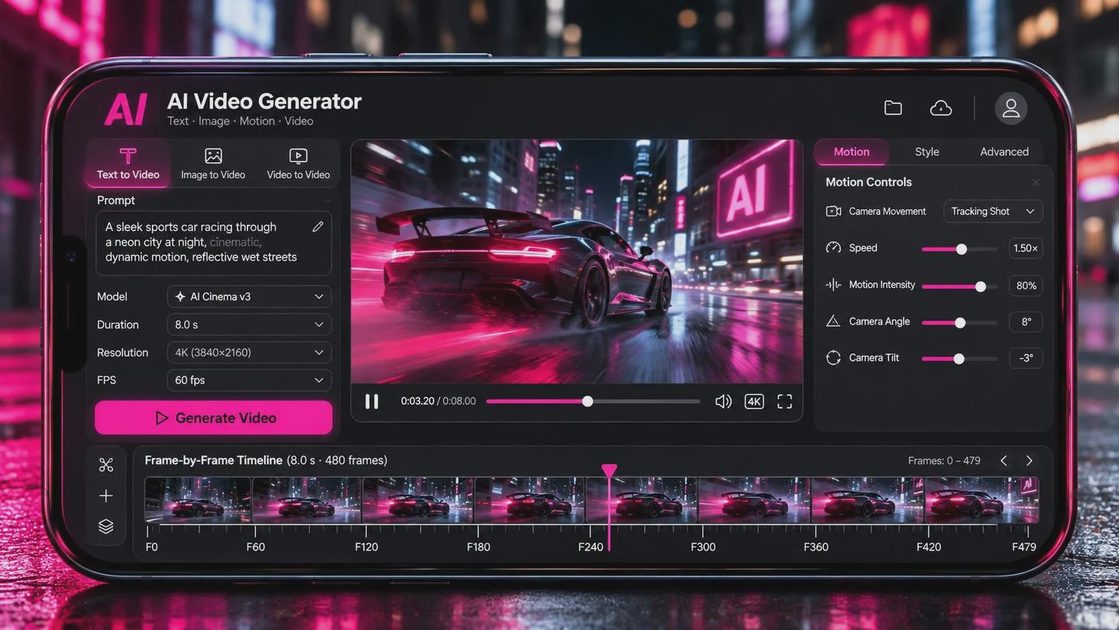
When I test kling 3.0, I begin with a prompt that describes a single shot rather than an entire scene. A useful structure is subject, action, environment, camera, lighting, and visual texture. For example: “A tired mechanic closes a garage door at night, medium-wide composition, slow handheld push-in, sodium-vapor light, light rain on the pavement, restrained documentary realism.”
That prompt gives the generator several anchors. The mechanic has a clear action. The garage establishes context. The push-in suggests a camera decision. The sodium-vapor lighting gives the image a color direction, while documentary realism discourages an overly glossy result.
Then I change one variable at a time. If the subject’s face changes between frames, I do not immediately rewrite everything. I might remove a complicated hand gesture, simplify the background, or switch from a fast tracking shot to a slow dolly. This is where the tool helps—and where it quietly hands the problem back to you. AI systems often produce more stable results when the shot has less competing motion.
Avoid stacking five story beats into one generation. A character opening a door, walking into a room, picking up a letter, reading it, and crying sounds efficient, but it creates continuity problems. Generate the entrance, insert, and reaction as separate shots. Editing can create the rhythm more reliably than one overloaded prompt.
From Generated Clip to Usable Edit
kling 3.0 becomes more valuable when you treat each output as coverage. Generate a wide establishing shot, a medium action shot, and one detail or reaction. You may not use all three, but the group gives you options. A single beautiful clip is difficult to edit if it has no visual partner.
I also recommend generating several variations with deliberate differences. Keep the location and subject consistent, then adjust the camera position or focal feeling. One version might be a static wide shot; another might be a gentle side move. If both versions share the same lighting and action, you can cut between them more naturally than between unrelated generations.
Before importing anything into a final timeline, inspect the first and last seconds. Look for hands changing shape, objects appearing from nowhere, faces drifting, or camera movement that accelerates without reason. Check whether the subject enters and exits the frame cleanly. A five-second clip can contain only two seconds of genuinely usable material, especially when the opening and ending need trimming.
For a short social video, that may be enough. For a narrative scene, you will probably need cutaways, sound design, and practical footage to hide weak transitions. The generated image is only one layer of the scene. Ambient room tone, footsteps, a door latch, and a carefully chosen edit can make a synthetic shot feel more intentional.
Where kling 3.0 Still Needs Human Judgment
The limitations become obvious when continuity matters. A character may keep the right jacket but lose a distinctive prop. A vehicle may change shape during a turn. Reflections, text, jewelry, and complex interactions remain risky because small errors draw attention immediately. If a generated sign contains nonsense lettering, the audience may forgive it in a fast background shot but notice it in a close-up.
Camera movement is another test. A slow push, pan, or orbit can work beautifully when the subject remains simple. Fast movement through a crowded environment is harder. The model may invent extra limbs, smear architecture, or make the camera feel weightless. When I need a precise stunt, product detail, or emotional performance, practical footage still offers better control.
This does not make the tool useless. It tells you where to place it in the workflow. Use it for atmosphere, transitions, dream sequences, concept reels, previs, and shots that would be expensive or impossible to capture. Do not assume it can replace an actor, cinematographer, editor, or production designer. It can produce material; it cannot decide what the scene means.
Cost, Speed, and a Sensible Workflow
Your practical cost is not just a subscription or generation credit. It also includes failed attempts, downloads, upscaling, storage, and editing time. A cheap clip that takes an hour to rescue is not cheap compared with a simple camera setup or a licensed stock shot.
For a small creator, I would start with a short test project: six shots, one location, one subject, and a clear visual objective. Spend a limited session testing wide, medium, and close coverage. Save the prompts that produce stable movement, and label every export with the date, prompt version, and intended edit position.
kling 3.0 can fit well into a storyboard-to-edit workflow. Sketch the sequence first, generate temporary frames, select the shots that actually cut together, and only then create additional variations. This prevents the common trap of collecting dozens of attractive clips with no scene structure.
Is kling 3.0 Worth Using?
For creators who need fast visual exploration, kling 3.0 is worth testing. It can help turn a vague idea into a sequence of images, support pitch development, and provide stylized footage for projects that do not require perfect continuity. It is most useful when you already understand composition and editing, because those skills tell you which outputs are usable.
If you expect one prompt to deliver a finished commercial, you will likely be disappointed. If you treat the model as a responsive camera department with unpredictable habits, the workflow becomes more productive. Write smaller shots, generate coverage, review every frame, and build sound and rhythm around the material.
My advice is simple: begin with a real scene, not a spectacle. Make a character cross a room, wait beneath a streetlight, or find an object on a table. Test whether the model can hold attention through a basic action. A good shot is not just generated. It is chosen.