I get this question more than any other: "What tools are you actually using?"
Not "what's the best AI video generator." Not "Runway vs. Kling." What's running on my machine when I sit down to make something.
Fair question. So here's the honest answer — not a ranked list, not a sponsored roundup. Just the stack I pay for, the tools I've dropped, and the reasoning behind each choice.
The Stack Isn't the Point. The Workflow Is.

Before I list anything: a stack is not a strategy. You can subscribe to every tool on this page and still produce nothing usable. The tools are variables. The workflow is the constant.
A modern AI video production pipeline has five layers — idea generation, model selection, asset generation, editorial control, and distribution. Most people obsess over layer three. The real leverage is in layers two and four.
So when I describe my stack, I'm describing how I route shots through the pipeline — not a shopping list.
Layer 1: Production — Where the Clips Get Made
This is where most of my monthly spend goes. I don't use one generator. I use three, because they fail differently.
Runway Gen-4.5 — The Control Freak
Runway is my primary tool for any shot where camera movement is the point. The motion brush and camera controls give me the kind of fine-grained direction that no other tool matches right now. If I need a slow push-in that holds its subject, or a controlled orbit around a product, Runway is where I start.
The trade-off: it's slower and more expensive per generation than Kling. But when a shot has to land exactly the way I storyboarded it, Runway gives me the best chance of not burning ten re-rolls.
Cost: $15/month (Standard). If I'm doing a client project, I'll upgrade to Pro for the higher generation limits.
Kling 3.0 — The Motion Machine
Kling is my volume tool. It produces the most realistic human motion of anything I've tested, and it does it at a price that lets me iterate without flinching. For B-roll, character movement, and anything involving full-body action, Kling is my first test.
The Element Library — Kling's character consistency system — is the feature that made me commit. You upload multi-angle reference images and the model remembers your character across generations. It's not perfect, but it's the closest thing to a reliable character lock I've found in a subscription tool.
Kling also supports clips up to 15 seconds at 1080p, which is longer than Runway's 10-second ceiling. For dialogue-free scenes that need a beat to breathe, that extra length matters.
Cost: $10/month (Standard). This is the best value line item in my entire stack.
Luma Ray3 — The Long-Take Specialist
Luma is the third tool I keep active, and it's the one I use least — but when I need it, nothing else works the same way. Ray3 supports clips up to 20 seconds with start-and-end frame control. If I'm building a shot that needs to evolve from one composition to another — a wide that becomes a close-up, a day that becomes night — Luma handles that transition better than generating two clips and hoping they cut together.
The 3D camera orbit capability is also genuinely useful for product shots where I need spatial continuity.
Cost: $10/month. Worth it for the specific use case, not as a daily driver.
What I Dropped
Pika. Fun for social effects, but I never found a shot in a real project where Pika was the right answer.
Sora. The quality is excellent, but I can't justify a $200/month subscription for a solo workflow when Runway, Kling, and Luma together cost $35. If you're on a corporate budget, Sora is a different calculation.
Veo. The native audio generation is genuinely impressive, but I do my own sound design. If you're producing content where synced ambient audio saves you a post-production step, Veo's $19.99/month via Gemini Advanced is worth evaluating.
Layer 2: Assembly — Where the Clips Become a Film
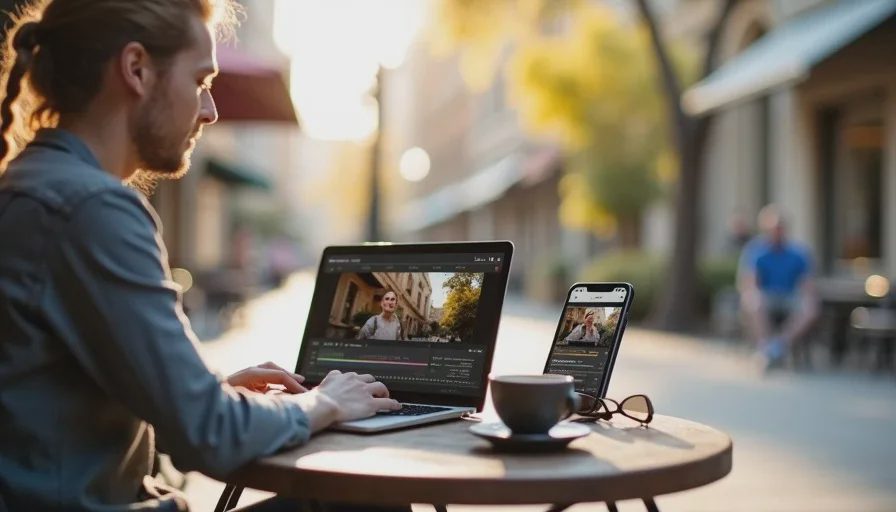
The generators produce clips. They don't produce edits. This is the layer most AI video content ignores, and it's where the actual filmmaking happens.
DaVinci Resolve — The Edit Bay
I cut in Resolve. Full stop. The free version handles everything I need for a solo project: multi-track editing, color grading, Fairlight audio, and Fusion compositing. When I'm working on something that needs collaboration or delivery specs beyond what the free version supports, I pay for Studio.
The reason this matters: AI-generated clips almost never cut together cleanly on the first pass. The color temperature drifts. The motion direction flips. The character's expression jumps. You need a real NLE with real color tools to fix those things, not another AI tool that "enhances" your edit.
Cost: Free for most projects. $295 one-time for Studio when I need it.
CapCut Pro — The Fast Lane
For YouTube shorts, social cuts, and anything where speed matters more than finesse, I use CapCut. Auto-captions, quick transitions, and the mobile-to-desktop sync make it the fastest path from clip to publish.
I don't cut client work in CapCut. I cut social content in CapCut.
Cost: $19.99/month for Pro.
Topaz Video AI — The Rescuer
This is the tool that saves shots I thought were dead. Topaz upscales, de-noises, and stabilizes AI-generated footage that has the right composition but the wrong technical quality. A 720p generation with motion artifacts can sometimes become a usable 1080p shot after a Topaz pass.
It's not magic. It can't fix bad motion or continuity errors. But for the specific problem of "this shot is right but it looks cheap," Topaz is the fix.
Cost: $299 one-time (I bought it last year; it's already paid for itself in rescued shots).
Layer 3: Supporting Cast — The Invisible Infrastructure
These are the tools that don't generate video but make the workflow possible.
Character Consistency Pipeline
This isn't one tool — it's a workflow. I use Kling's Element Library for character references, then chain the last frame of each generated clip into the next generation to maintain visual continuity. The character bible — a written document describing the character's appearance in obsessive detail — gets pasted into every prompt.
The tool is Kling. The method is production discipline. The model has no memory between generations; every clip is an independent sample, and without systematic reference chaining, the character drifts.
Script and Storyboard
I write in a plain text editor. I storyboard in Figma. No AI tools here, because the thinking is the work. AI can help me brainstorm shot variations, but the decision of what the scene needs is not a prompt problem.
Music and Sound
I use Artlist for licensed music and Resolve's Fairlight for sound design. I've tested AI music generators and they work for temp tracks, but I haven't found one that produces stems I'd put in a final mix. If you're producing content where music is decorative rather than structural, ElevenLabs or Suno will save you money.
The Real Monthly Budget
Here's what this stack actually costs me:
Tool | Monthly Cost | What It Does |
|---|---|---|
Runway Gen-4.5 Standard | $15 | Controlled camera movement, hero shots |
Kling 3.0 Standard | $10 | Character motion, B-roll, volume generation |
Luma Ray3 | $10 | Long takes, start-end frame transitions |
CapCut Pro | $19.99 | Social cuts, captions, fast turnaround |
DaVinci Resolve | $0 | Primary edit, color, sound |
Topaz Video AI | ~$25 amortized | Rescue and upscale |
Total | ~$80/month |
Solo creator budgets for AI video production are reported at $10–$30 per month for 25–50 short-form videos. My $80 is above that, but I'm not producing 50 short-form videos. I'm producing fewer, more deliberate pieces where the quality of each shot matters.
If you're doing high-volume social content, you can run this stack for under $30/month by dropping Runway and Luma and living in Kling plus CapCut. That's a legitimate choice. It's just a different job.
The Workflow That Makes the Stack Work
The tools matter less than the order I use them in. A shot doesn't go to Runway first. It goes through this sequence:
Storyboard the shot. What does the frame need to do? What's the movement? Where does the cut land?
Generate in Kling first. Cheapest iteration. If the motion and composition work, I might not need to go further.
If the camera movement needs precision, re-generate in Runway. Kling got me close. Runway gets me exact.
If the shot needs to transition across a long take, generate start and end frames in Luma. Chain them.
Take everything into Resolve. Fix color drift, cut against the surrounding shots, and decide if it actually works.
If a shot looks technically weak, run it through Topaz. Last resort before re-generating.
The point is not which tool wins. The point is that no single tool wins every shot. A 60-second piece might route through three different models — one for the establishing shot, one for the B-roll, one for the character beat. The stack exists to make that routing fast.
The Hidden Cost Nobody Talks About
The number on your subscription page is not your real cost. Your real cost is subscription plus regeneration.
A skilled operator lands a usable 30-second clip for roughly $20 in compute on average. An unskilled operator can burn $100 to $200 on the same shot. The difference is prompting skill and knowing when to stop re-rolling.
The most expensive line item in my workflow is not Runway or Kling. It's the hours I spend re-generating shots that I should have storyboarded more carefully before I touched a model. The second most expensive is the shots I keep trying to save when I should cut them and move on.
The stack is cheap. Bad direction is expensive.
What I'd Tell Someone Building Their First Stack
Start with Kling and CapCut. That's $30/month. You can make real things with those two tools.
Add Runway when you hit the specific limitation that Runway solves — controlled camera movement that Kling can't nail. Add Luma when you need a long take. Add Resolve when CapCut's editing ceiling becomes the bottleneck.
Don't start with the stack. Start with a project, hit a wall, and add the tool that gets you past it. That's how a stack becomes yours instead of a list you copied from someone else.
You Also Like