The headline price of AI video generation has never been lower. Kling Standard costs $10/month. Runway Standard costs $15. Luma starts at $10. For the price of two coffees, you get access to tools that would have cost a production house hundreds of thousands of dollars five years ago.
So why did a 70-second short film that used all three of those tools cost me $123? And why did a documented 3-minute animated episode — made by a two-person team using the same subscriptions — burn through $750 in credits?
Because the subscription is the smallest number on the invoice. The real cost of AI video generation lives in three places the pricing page never mentions: the subscription floor you pay whether you generate or not, the overgeneration you need to get anything usable, and the human labor that makes the output deliverable.
This is the number nobody quotes. And it's the number that determines whether AI video is actually cheaper than the alternative.
The Subscription Floor: What You Pay Before You Generate Anything
The first hidden cost is not hidden at all. It's just misunderstood.
Every AI video tool in the current stack gates its best models behind a subscription. The platform access has a monthly minimum. If you need ten clips a month for social content, a $200/month ChatGPT Pro plan works out to $20 per clip — far more than the $0.30–$0.50 the same Sora 2 Pro clip costs on pay-as-you-go or aggregator credits.
The subscription floor matters because it distorts the per-clip math. A $10/month Kling plan feels cheap until you do three generations and realize you've spent $3.33 per generation. A $15/month Runway plan feels cheap until you discover that 625 monthly credits on Standard runs out inside a normal afternoon at 12 credits per Gen-4.5 second, and topping up costs more per second than several rivals charge on their base tier.
The psychology of subscription pricing works against you here. Because you're not paying per generation at the moment of use, you don't feel the cost of each re-roll. You just hit the credit ceiling and buy a top-up. That top-up is often priced at a worse per-second rate than the base plan.
The practical implication: if you're generating fewer than 20–30 clips per month, a subscription is almost certainly more expensive per clip than pay-as-you-go API access. Aggregators cut per-clip cost 30–50% by removing the subscription floor and using volume rates. The subscription model only makes sense if you're generating at volume.
The Overgeneration Tax: Why 75% of Your Generations Are Thrown Away
This is the single biggest hidden cost in AI video production, and it's the one that catches every first-time creator by surprise.
Across documented AI productions, roughly 25% of generated clips make the final cut — and within each kept clip, only about 5 seconds of a 15-second generation is actually used. That means you're generating four times the footage you'll actually ship, and even the clips you keep are only one-third usable in duration.
The numbers are consistent across every documented production:
Production | Clips Generated | Clips Used | Selection Rate |
|---|---|---|---|
3-minute animated episode | 164 | 41 | 25% |
90-second horror short | ~400 | — | ~4.4 gen/sec |
70-second short film | — | — | 3,000 credits / 2 days |
On a per-shot basis, the average is roughly 3 generations per usable shot — and 17 of the final shots in that 3-minute episode were stitched from two or more generations, what the community calls a "Frankenstein shot".
That means overgeneration is not waste. It's a budget line. Plan your generation budget at 3–4x what the finished runtime implies, or the credits run out mid-production.
The 2026 market made this worse. The attempts-per-usable-clip ratio moved from 2–3 generations to 7–8 generations during the year — with no change to the price card. The effective cost formula is:
Effective cost = list rate × seconds × attempts per usable clip
A 6-second clip at $0.66 list rate costs $1.32 at 2 attempts and $5.28 at 8 attempts. The spread between the best and worst case is 8x — on the same model, the same prompt, the same day. If you're optimizing the rate card while ignoring the attempt count, you're tuning the smaller dial.
The Pre-Production Cost: Locking Consistency Isn't Free
Every dollar you spend locking a character sheet before generation is a dollar you don't spend re-generating the same shot because the character drifted.
In one documented production, locking a single character's visual identity took about 5 generation attempts at roughly $9.78 per character. Another production generated 4 options per character sheet and environment reference, then selected the best before rolling a single video clip.
That $9.78 per character is cheap. What's expensive is skipping it.
Character drift is the most expensive failure mode in AI video production because it forces whole-scene regeneration. When the character in Shot 3 doesn't match the character in Shot 1, you don't re-generate Shot 3 — you re-generate every shot that depends on the original lock. A single consistency failure at the sheet stage can cost 10–15 generations downstream.
The math is straightforward: $9.78 to lock the character up front versus 10+ generations at $0.50–$0.70 each to fix the drift later. The upfront investment is not a cost. It's a savings.
The Direction Time: The Labor Nobody Quotes
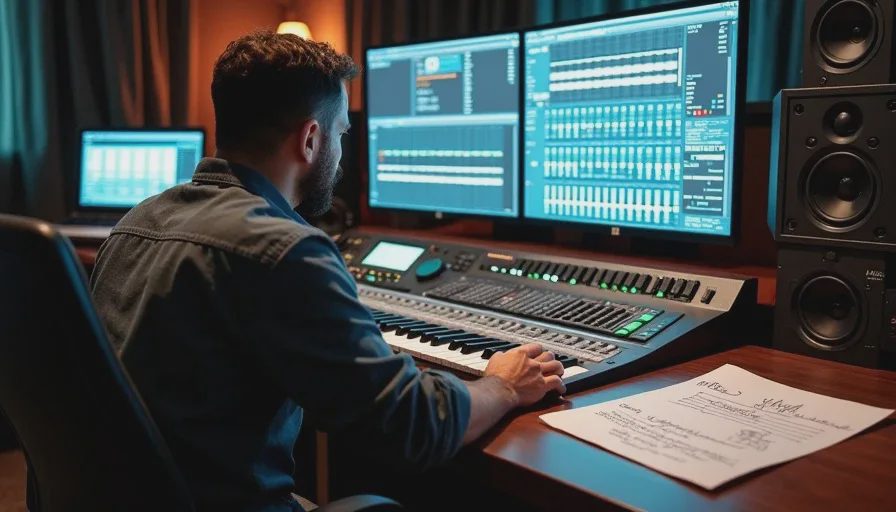
A 2-minute brand promo took one experienced director 3 days to produce with AI. The same project via manual shot-by-shot prompting was estimated at a week or more. A traditional shoot would have taken roughly 2 months.
That director's time is not on any invoice from Runway or Kling. But it's the largest real cost in the production.
Here's what that time actually consists of:
Shot list writing. Before any generation, you write what each shot needs to do, how it cuts with the shots around it, and what technical parameters it needs. This is the work AI cannot do, and skipping it is the most expensive habit in AI filmmaking.
Prompt engineering. Every generation prompt is a miniature direction document. You're specifying camera movement, subject action, lighting, composition, and what must not change. Writing that prompt takes longer than writing a shot description for a real production because the model needs more specificity, not less.
Selection and rejection. You generate 8 clips, watch all 8, and pick the one that works. That decision — this one, not that one — is the work. The model generated. The director chose.
Stitching and compositing. More than 40% of final shots in a documented production were Frankenstein shots — assembled from the strongest seconds of multiple generations. That's editing labor, and it's not priced into any generation tool.
Post-production. Raw AI footage tends toward an over-sharp, plasticky look. A post pass — slight blur, grain, color grade, upscale — is a standing line item, not an exception.
The documented cost band of $315–$750 per finished minute already absorbs all of this. But if you're pricing your own time, the real cost of a 70-second short at $750 in credits is $750 plus however many hours you spent directing it.
The Real Cost Benchmarks
Here's what documented AI video productions actually cost, across productions with known length and spend:
Production | Length | Total Cost | Credits | Days |
|---|---|---|---|---|
Narrative short | 70 sec | $750 | 3,000 | 2 |
Horror short | 90 sec | $870 | 4,100 | 2 |
Animated episode | 3 min | $950 | — | 2 |
Brand promo | 2 min | $1,500 | 6,000–6,500 | 3 |
Multi-location VFX short | — | $5,000 | 20,000 | 4–5 |
The normalized range is $315–$750 per finished minute. Video generation credits account for 70–85% of the spend. Scripting, storyboarding, and image generation are near-zero line items — 0–2% and 3–8% respectively.
That 2-minute brand promo at $1,500 compares against a $100,000–$500,000 traditional production estimate for the same film. The hidden costs are real. They don't erase the gap. They define what you actually need to budget.
The Cost of Cheap: When the Cheapest Tool Is the Most Expensive

The cheapest AI video models are not the cheapest AI video productions.
Hailuo and Seedance sit at roughly $0.01 per second of generated video — the lowest rate cards in the market. Sora 2 Pro and Veo 3.1 sit at $0.06–$0.10 per second. A 10x spread on the rate card.
But rate card is the smaller dial. A 6-second clip at $0.66 on Seedance 2.5 costs $1.32 at 2 attempts and $5.28 at 8 attempts. The spread between the best and worst case is 8x — on the same model. The rate card spread across the entire market is under 3x.
If your cheap model requires 8 attempts per usable clip and a more expensive model requires 3, the cheaper rate card produces a more expensive production.
This is the hidden cost of "cheap" AI video generation: the cheapest tool is the one that forces you to generate the most. Model routing — sending each shot to the tool whose strengths match the shot's needs — is the single highest-leverage cost decision you make. Kling handles multi-shot sequences natively. Seedance's reference-to-video carries character and location context across clips. Runway leads on camera-motion control. Veo leads on realism and native audio. Forcing one model to do everything is paying the yield tax.
How to Budget for the Real Cost
Here's the framework I use. It's not a spreadsheet. It's a set of multipliers.
Step 1: Price your runtime. Multiply your finished minutes by $315–$750. That's your floor and ceiling before you spend a credit.
Step 2: Plan for overgeneration. If your edit needs 40 shots, budget for 120+ generations, not 40. The 25% selection rate means you generate 4x what you keep.
Step 3: Line-item your pre-production. Character sheets, environment references, style blocks — these cost generations, and they're cheap relative to the alternative. Lock them before you generate a single video clip.
Step 4: Budget for stitching. Expect more than 40% of final shots to be composites. That's not a failure — it's the working reality.
Step 5: Add the post pass. Upscale, grain, color grade. Treat post-production as a standing line item.
Step 6: Price your own time. The $315–$750 per finished minute band covers tool spend. Your directing time is on top of that.
Step 7: Use approval gates. Running your agent in approval mode means you approve every prompt and its attached references before credits are spent. Locking character sheets and environment references before any video generation prevents the most expensive failure mode: regenerating whole scenes to fix consistency drift.
The productions that came in cheapest spent the most upfront time loading the script and character context into their workflow before generating a single frame. Clarity is cheaper than regeneration.
What Cheap Actually Looks Like
Here's the honest summary.
AI video generation is cheaper than traditional production. A $1,500 brand promo compares against a $100,000–$500,000 traditional shoot. That gap is real and it's not going away.
AI video generation is not as cheap as the subscription page suggests. The $10/month Kling plan is the entry ticket, not the bill. The bill is $315–$750 per finished minute once you account for the 4x overgeneration, the consistency locking, the direction time, and the post-production pass.
The cheap workflow is the one where you lock the character sheet before generating, write the shot list before touching a model, route each shot to the model whose strengths match, and treat overgeneration as a budget line rather than a mistake.
The expensive workflow is the one where you generate first, fix later, and wonder why the credits disappeared.
A good shot is not just generated. It is chosen. And a cheap production is not the one with the lowest subscription. It's the one with the fewest wasted generations.
Frequently Asked Questions
How much does AI video generation actually cost in 2026?
AI video costs $315–$750 per finished minute across documented productions, or $750–$5,000 all-in for a short film. Video generation credits account for 70–85% of the spend. The headline subscription price — $10–$15/month — is the smallest part of the real bill. The rest is overgeneration (you generate 4x what you keep), consistency locking, direction time, and post-production passes.
Why does 75% of my AI-generated footage get thrown away?
Because AI video production operates at a roughly 25% selection rate across documented productions. On a 3-minute animated episode, 164 clips were generated and 41 made the final cut. Within each kept clip, only about 5 seconds of a 15-second generation was actually used. Overgeneration is a planned budget line, not waste — it's how you get editorial choice. Plan your generation budget at 3–4x your finished runtime.
What's the subscription floor and why does it matter?
The subscription floor is the minimum monthly spend required to access a model. Sora 2 requires ChatGPT Plus at $20/month or Pro at $200/month. Veo 3 requires Gemini Advanced at $19.99/month. Runway's Pro tier is $95/month. The floor matters because it distorts the per-clip math — if you need 10 clips a month, a $200/month plan works out to $20 per clip even if the per-second rate is $0.30. If you're generating fewer than 20–30 clips per month, pay-as-you-go API access is almost always cheaper than a subscription.
How many generations does it take to get one usable shot?
Expect about 3 generations per usable shot. In 2026, the attempts-per-usable-clip ratio moved from 2–3 generations to 7–8 generations during periods of provider congestion — with no change to the rate card. The effective cost formula is: list rate × seconds × attempts per usable clip. A 6-second clip at $0.66 costs $1.32 at 2 attempts and $5.28 at 8 attempts.
Is it cheaper to use cheap AI video models like Hailuo or Seedance?
Not necessarily. Hailuo and Seedance have the lowest rate cards at ~$0.01/second, but the rate card is the smaller dial. If a cheap model requires 8 attempts per usable clip and a more expensive model requires 3, the cheap model produces a more expensive production. The spread between 2 attempts and 8 attempts is 8x — larger than the 3x spread between the cheapest and most expensive rate cards. Model routing is the highest-leverage cost decision.
How much does it cost to lock a character sheet before generation?
About $9.78 per character in documented productions — roughly 5 generation attempts. That upfront cost is cheap relative to the alternative. Character drift forces whole-scene regeneration. A single consistency failure at the sheet stage can cost 10–15 generations downstream. The $9.78 is a savings, not a cost.
You Also Like