AI video tools have moved from experimental novelties to everyday production equipment for solo creators, filmmakers, and YouTubers. The right ones can turn a single image or text prompt into usable footage in minutes. The wrong ones waste time, credits, and creative energy.
This guide covers how modern AI video tools work, what separates useful ones from hype, how to evaluate them for real projects, and practical considerations around cost, consistency, and workflow. Whether you’re testing camera movement, building product videos, or assembling a full short film, understanding the current landscape of AI video tools will save you months of trial and error.
What Are AI Video Tools?
AI video tools are systems that generate or transform video using machine learning models. Most fall into a few practical categories:
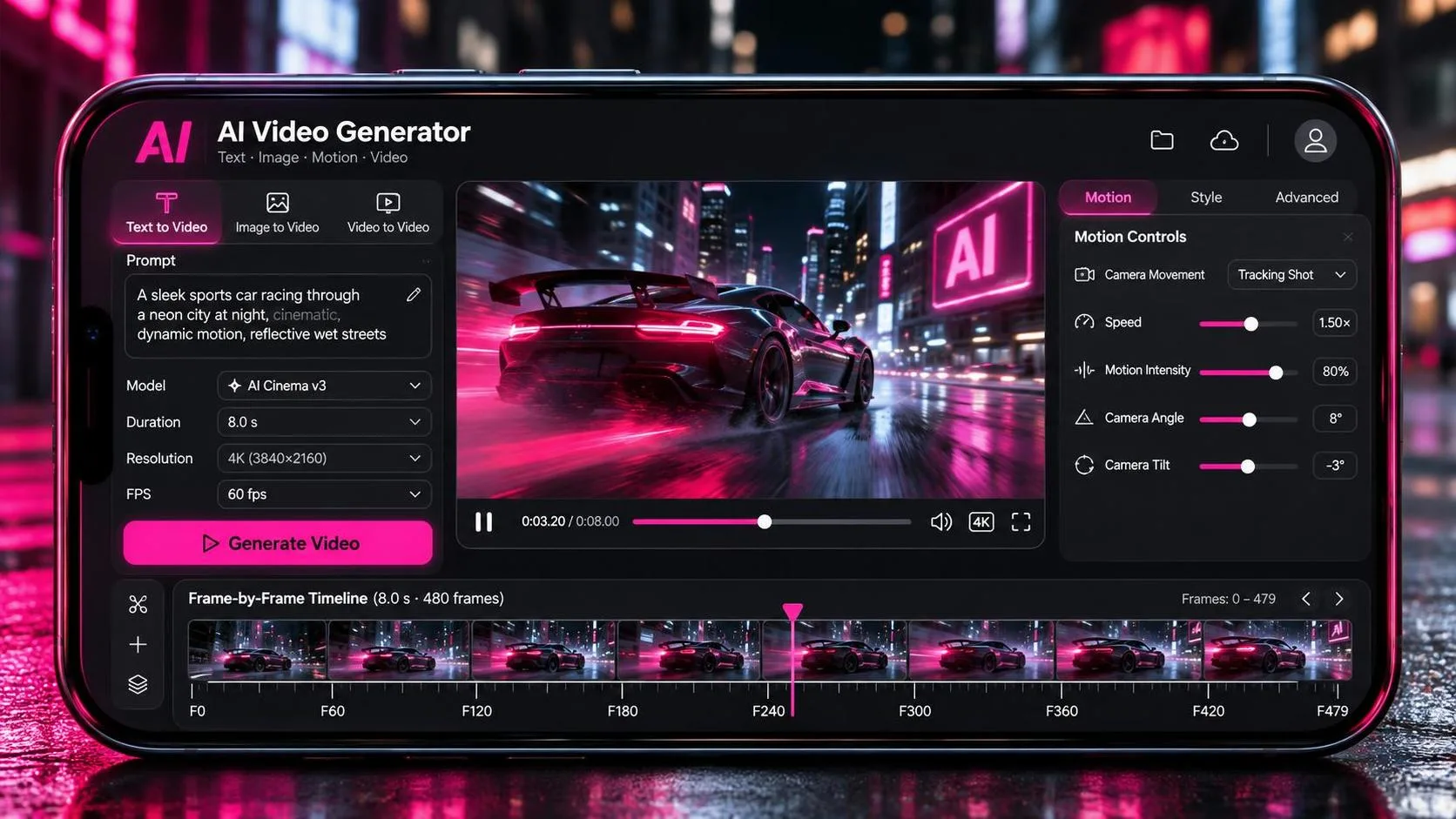
Text-to-video generators that create clips from written prompts
Image-to-video tools that animate stills while preserving composition and subject identity
Video-to-video systems that restyle, extend, or refine existing footage
Specialized tools focused on motion quality, character consistency, or camera control
The best AI video tools in 2026 no longer just produce “interesting” clips. They aim for controllable results that can sit inside an edit without looking like pure novelty. That shift matters for anyone treating these systems as production tools rather than toys.
Key Capabilities That Separate Strong AI Video Tools from the Rest
When evaluating AI video tools, look past marketing claims and test these concrete abilities:
Motion quality and camera control
Can the tool execute clean pans, dollies, handheld movement, or orbit shots without morphing subjects or collapsing perspective? Tools that handle intentional camera moves well are far more useful for narrative or commercial work.
Character and object consistency
Does the same face, outfit, or product stay recognizable across multiple generations and shots? Consistency remains one of the biggest practical limitations for longer sequences.
Editability and iteration
Some systems force a full re-roll when something goes wrong. Others let you refine specific elements, extend clips, or adjust motion without starting from zero. The ability to fix a bad result is often more valuable than raw generation quality.
Speed and cost efficiency
Generation time and credit consumption vary widely. Cheap tools can become expensive when you need dozens of takes to get usable footage. Understanding the real cost of iteration is essential.
Integration into a real workflow
The strongest AI video tools fit into existing pipelines—reference images, shot lists, editing software, and human direction—rather than demanding that creators abandon traditional methods.
How to Choose AI Video Tools for Your Projects
Start with the job, not the model name.
Need quick product animations from a single photo? Prioritize strong image-to-video performance and clean motion.
Building multi-shot scenes with the same character? Test consistency across at least four or five generations.
Previsualizing camera moves before a real shoot? Look for tools that respond predictably to specific movement instructions.
Working with tight budgets? Factor in both sticker price and how many generations you typically need for acceptable results.
Most creators end up using a small stack rather than a single tool. One system may excel at motion, another at face consistency, and a third at fast iteration or cost control. The goal is a reliable combination, not a mythical all-in-one solution.
Practical Realities: Cost, Time, and Limitations
AI video tools still struggle with certain effects—complex rain, realistic smoke behavior, accurate reflections, and natural dialogue performance without audio remain common weak points. Handheld camera movement can look convincing in short bursts but often degrades over longer clips. These limitations are not reasons to avoid the tools; they are reasons to plan around them.
Budgeting also requires honesty. Low-cost generators can create hidden expenses through repeated failed generations. Tracking monthly spend and average takes per usable shot gives a clearer picture than headline pricing.
Building a Sustainable Workflow with AI Video Tools
The most effective users treat AI video tools as a previsualization and asset-generation layer rather than a full replacement for shooting or editing. Common patterns include:
Generating establishing or B-roll shots that would be expensive to film
Testing camera moves and lighting ideas before committing to a real production day
Creating product or concept videos from limited source material
Rapidly iterating on visual style before locking a final approach
Human direction remains the bottleneck and the advantage. Clear shot lists, reference images, and intentional prompts still outperform vague “make it cinematic” instructions.
You Also Like
Here are some practical deep-dives that expand on the ideas in this guide:
Grok AI Image to Video Generator – Hands-on look at turning stills into motion with one of the newer tools.
The AI Video Stack I Use as a One-Person Creator – How a solo creator combines multiple systems into a working pipeline.
The Same Five Camera Moves Tested Across Four AI Video Tools – Direct comparison of motion control performance.
Runway, Kling, and Luma: Which One Handles Motion Best – Focused evaluation of three major players on movement quality.
Which AI Video Tools Let You Fix a Bad Result Without Starting Over – Why editability often matters more than first-generation quality.
Frequently Asked Questions
What are the best AI video tools right now?
There is no universal winner. The strongest options depend on whether you prioritize motion quality, character consistency, speed, cost, or the ability to refine results. Testing the same prompt and camera instructions across a few tools is still the most reliable way to decide.
Are AI video tools good enough for professional work?
They are already useful for specific production needs—product videos, concept visualization, certain types of B-roll, and previsualization. Full narrative scenes with consistent characters and natural performance still usually require significant human cleanup or hybrid approaches.
How much do AI video tools typically cost?
Pricing models vary widely. Some charge per second of generated video, others use credit systems or subscriptions. The real cost is often driven by how many generations you need to reach usable quality, not just the base rate.
Can AI video tools replace traditional video production?
Not yet for most projects. They excel at accelerating certain stages and reducing the cost of experimentation, but framing, performance, lighting control, and final polish still benefit heavily from traditional skills and tools.
How do I improve consistency across multiple AI-generated shots?
Strong reference images, detailed character descriptions, seed control when available, and tools specifically designed for character consistency help. Even then, plan for some manual matching or selective regeneration.
Should I learn prompting or focus on traditional filmmaking skills?
Both. Clear direction, understanding of shot design, and editing judgment remain more valuable than clever prompt engineering alone. AI video tools amplify good direction; they do not replace it.